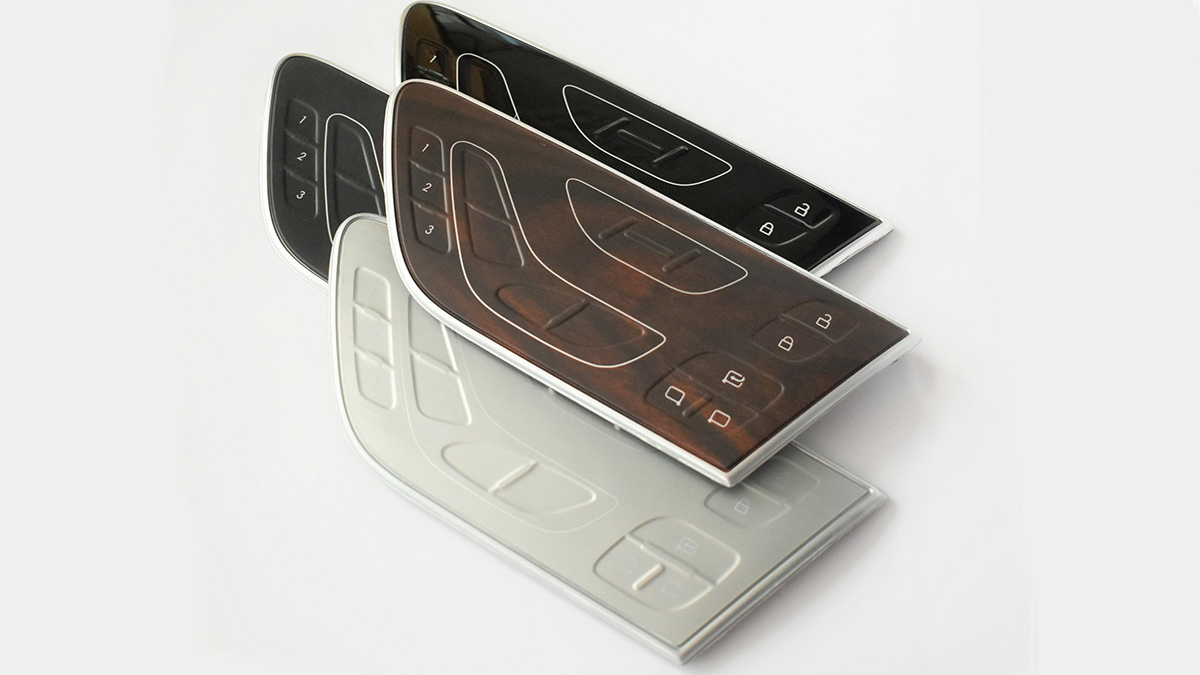
The IMD (In-Mold Decoration) molding process, with its significant advantages in product appearance decoration and functional integration, is widely applied in the production of various precision products. However, the injection molding process is affected by multiple factors such as molds, materials, and process parameters, which can easily lead to problems such as ink washout, ink cracking, wrinkles, etc., seriously affecting product quality and production efficiency.
Based on years of practical experience, KingStar, as a leading plastic injection molding company, has identified the core causes and systematic solutions for common adverse phenomena in IMR processes, providing practical and feasible solutions for industry technicians. In terms of IMR technology, the main defects are related to the film, film feeding equipment, molding machine (and peripheral equipment), and molds. In addition, product design, operating methods, environmental changes, etc. may also cause defects. Moreover, most defects are not caused by a single factor, and technicians cannot only look at surface phenomena. They need to start from the molding principle and find the root cause of the problem.
Definition: The phenomenon of ink being washed away from areas such as the glue mouth during the molding process.
The fundamental reason for the occurrence is that high temperature is the core problem, such as high mold temperature, material temperature, or abnormal hot runner temperature, which can lead to ink decomposition. In addition, when molten resin enters the mold cavity, the high temperature will cause the ink that comes into contact first to be washed away, which is particularly common in the gate area.
1.1 Confirmation of Molds
- Add Cooling Channels:Reducing the mold temperature is the most direct and effective way to solve ink washout, because a lower mold temperature can quickly take away the heat of the resin, lower the resin temperature, and avoid ink being washed away or decomposed due to high temperature. In practical operation, it is possible to change the connection of chilled water to the ink washoutarea or directly lower the mold temperature in that area – many IMD molds will specifically connect chilled water at the gate position, which is the reason.
- Optimize Runner/Gate Shape:For example, expand thegate diameter appropriately. If the sprue, gate, or runner is too narrow, the resistance to plastic flow will increase, and the flow state will become chaotic, which can easily cause ink washout.
- Increase Wall Thickness at Gate Area.
1.2 Confirmation of Molding Conditions
Adjust Injection Speed: A injection speed that is too fast or too slow can cause ink washout. In actual machine adjustment, we usually try to solve this problem by repeatedly adjusting the injection speed.
Mold Temperature: Reduce the mold temperature.
Resin Temperature: Reduce the material temperature.
Vacuum State: Too high or too low air pressure may cause adverse effects.
Check Holding Pressure Parameters: In general, the impact of pressure holding on ink is not significant, and can even be ignored. But its impact cannot be completely ruled out, as there may be occasional cases of ink flushing caused by improper holding pressure parameters. During debugging, a comparative test can be conducted: turn on and off the holding pressure separately, and observe whether there is any change in the ink flushing phenomenon.
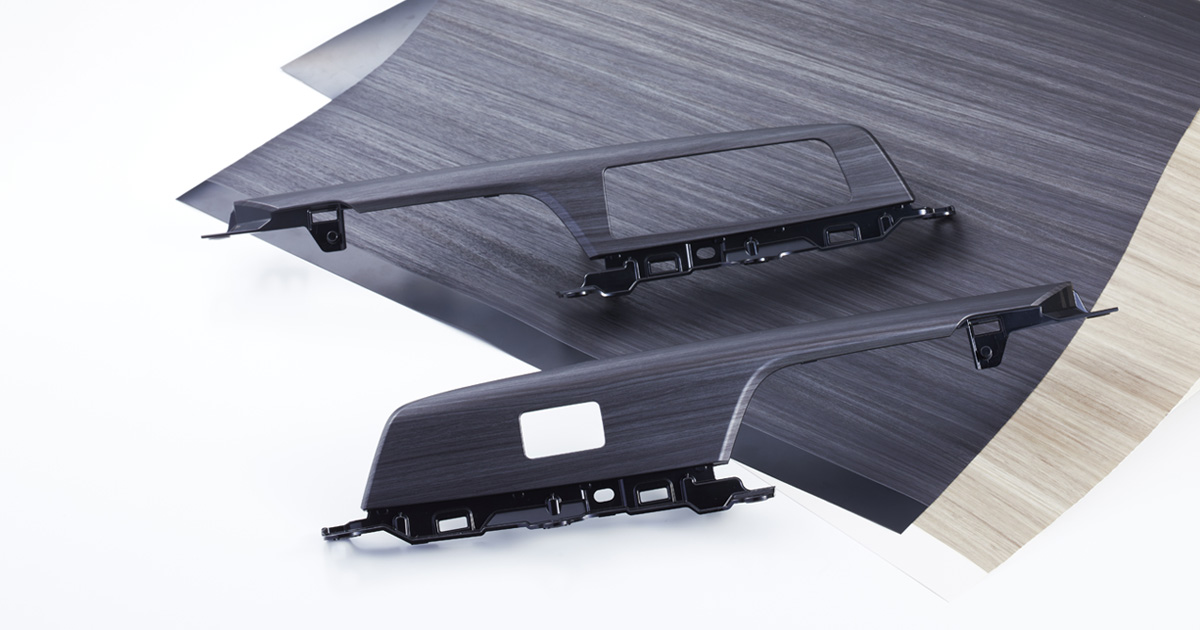
2. Ink Cracking:
Definition: If the shape of the molded product is complex and the film cannot fully adhere to the mold cavity, the ink layer may break under the pressure of resin injection or vacuum suction, which is called ink cracking.
Simply put, there are two situations where ink cracks: one is when the pressure causes the ink to burst; Another type is that there are gaps in the mold, and the foil film is forcibly stretched by tension during operation – the foil film has toughness and can expand and contract along with it, but the ink lacks toughness and will crack if it cannot be pulled.
2.1 Ink Cracking Due to Injection
- Confirmation of Mold:
(1) Check the Vacuum Status: The reference benchmark is 0.08MPa, and the air pressure should not be too high or too low, otherwise problems may occur.
(2) Contact status:
- Adjust the Clamping Force: If the clamping force is too tight, the exhaust will not be smooth, and there may also be a risk of cracking, which can lead to inkcracking; But if the clamping force is too loose, the foil film is prone to displacement, which can also cause ink cracking.
- Check the contact condition of the mold corresponding to the ink cracking position, such as the inlet, ejector pin, diagonal pin, PL surface, etc., to see if there is any damage.
- Check the Frame: Check if the edges of the frame are balanced and if there are any issues such as inverted edges.
(3) Check Mold Temperature regulation circuit: Check if the circuit is normal and ensure that the mold temperature can be stably controlled.
2. Confirmation of Molding Conditions:
(1) Control Mold Temperature: If the mold temperature is too low, the low-temperature area of the film will become hard and brittle. When it expands and contracts under adsorption or tension, areas with poor toughness are prone to fracture, leading to ink cracking. In this case, the cooling water at the top corner can be replaced with hot water to increase the local temperature; But the mold temperature should not be too high, otherwise the gas cannot be discharged and will break through the ink layer. Additionally, it should be noted that the optimal temperature range for ink adaptation is between 35 ℃ and 65 ℃.
(2) Adjust Injection Speed: If the speed is too fast and the gas cannot be discharged in time, it will break through the ink layer; If the injection speed is too slow, the resin will cool down during the flow process, and it will solidify before reaching the ink layer, making it unable to fuse with the ink and causing fracture. Based on practical experience, if the product is relatively thin and the speed is too slow, the resin will have already cooled when it flows to the far end, and the pressure holding stage will be prone to displacement, resulting in stress concentration and ultimately breaking the ink layer.
(3) Control Resin Temperature: Excessively high resin temperature can also cause ink cracking, so it should be adjusted appropriately.
(4) Extend Vacuum Time: This can be achieved by setting the injection delay, enabling the ejection seat advance and retreat function, or slowing down the mold closing speed.
(5) Placing “ABS glue” in Movable Side Vacuum Grooves: For complex shaped molded products, the film is prone to areas where it cannot adhere to the mold cavity, and these areas are prone to ink cracking during injection. Placing ABS glue can solve this problem.
(6) Adjust Vacuum Strength: Use vacuum adjustment screw to weaken the vacuum strength to avoid stretching the film due to excessive vacuum, which may cause ink damage.
(7) Improve Mold Venting: If the mold venting is poor, it is necessary to add vent grooves or place iron plates to enhance the venting effect.
2.2 Ink Cracking Due to Vacuum Suction
- Confirmation of Mold:
(1) Check Vacuum Status: Based on 0.08MPa, the air pressure should be controlled within an appropriate range, neither too high nor too low.
(2) Check for Ink Cracking During Mold Closing: You can first perform vacuum, then close the mold, and then open the mold to check if there is any ink cracking during the mold closing process.
(3) Check Contact Between Film and Core Side During Mold Closing: check if the inlet, diagonal pin, ejector pin, and other parts will touch the film, causing damage to the film and ink cracking. If so, polish or repair these parts.
(4) Process burrs at the PL Surface: If there are burrs at the PL, polishing, chamfering, or mold repair should be performed to avoid scratching the ink layer.
(5) Check the mold temperature control circuit.
- Confirmation of Molding Conditions:
(1) Control Mold Temperature: Usually, a mold temperature that is too high can easily cause ink cracking, but a mold temperature that is too low can also occur, as mentioned earlier.
(2) Adjust Vacuum Strength: Weaken the vacuum by adjusting the screw to prevent the film from being stretched and ink cracking.
3. Film Cracking
Definition: The phenomenon of film rupture during the molding process.
Causes: There are mainly two situations: 1) Film is pinched during mold closing; 2) Shape of the molded product is complex, and the film cannot fully adhere to the mold cavity. The non adhered parts are crushed under the pressure of resin injection.
Processing & Countermeasures:
- Confirmation of Mold:
(1) Investigate Film Rupture During Mold Closure:
- Test with pressure-sensitive paper to see if there are any cracks;
- Direct testing verification: Perform vacuum and then close the mold, press the film into the mold, and observe whether there is any rupture. If you are unsure where the problem lies, you can use a big markerpen to draw on the suspected area, and then check if there is ink penetration to determine if the film is broken. If it is confirmed that there is a problem, polish, invert the radii, grind or repair the relevant parts;
- Reduce clamping force.
(2) Processing burrs at the PL area: If there are burrs at the PL area, it will scratch the film and need to be polished in a timely manner.
(3) Check the adhesion of the mold surface in the locked state:
- Control clampingforce: If the surface of the mold is uneven or has a tendency to break, excessive locking force will crush the film;
- The clackingforce should not be too small: otherwise, the lateral fit of the mold surface is not good, and the film cannot be pressed tightly, which will break the film when the resin is injected.
(4) Check vacuum pressure: Based on 0.08MPa, excessive pressure can easily break the film.
- Confirmation of Molding Conditions:
(1) Injection Speed:
Problems of Too Fast Speed:
- If the molded product is complex, the film that is not attached to the mold cavity will be directly broken by the high-speed resin injection;
- If the exhaust of the mold is not good, the air inside the cavity cannot be discharged, and bubbles will form in the areas where the film is not attached. When the mold is opened, the bubbles will burst and the film will be pulled apart;
- The firing rate exceeds the limit that the film can withstand, directly causing the film to rupture.
Problem of Too Slow Speed:
- The resin flow front cools too quickly, which makes it difficult to bond well with the film and may break the film when opening the mold;
- If the mold structure is unreasonable or theventingis poor, the phenomenon of “air entrapment” may occur, resulting in the formation of cold glue at the resin joint and a decrease in the bonding effect with the ink.
(2) Control Mold Temperature: If the mold temperature is too low, the low-temperature area of the film will become hard and brittle, and it is easy to break during stretching; Excessive mold temperature can also affect the toughness of thin films, leading to rupture, but this situation is relatively rare.
(3) Control Resin Temperature: If the resin temperature is too high or too low, it may cause the film to rupture, and it should be adjusted to the appropriate range.
(4) Extend Vacuum Time: Allow the film to adhere more tightly to the mold surface, which can be achieved by setting the injection delay, slowing down the mold closing speed, or using a seat to advance.
(5) Place “ABS glue” in Movable Side Vacuum Grooves: This can enhance the vacuum effect, improve venting performance, and increase the arc angle height (or film height) to help the film straighten and flatten, and better fit the mold surface.
Attention:
- When processing “ABS glue”, the R corner must be polished smooth and there should be no rough areas, otherwise it will scratch the film;
- The height of ABS glueshould be appropriate: if it is too high, it will crush the film when closing the mold; If it’s too low, it won’t have the desired effect.
(6) Adjust Vacuum Strength: Weaken Vacuum by adjusting the screw to avoid tearing the film.
(7) Clean Mold: If there is oil stains on the mold, it will affect the bonding effect between the film and the mold surface, leading to film breakage. It should be cleaned up in a timely manner.
4. Wrinkles
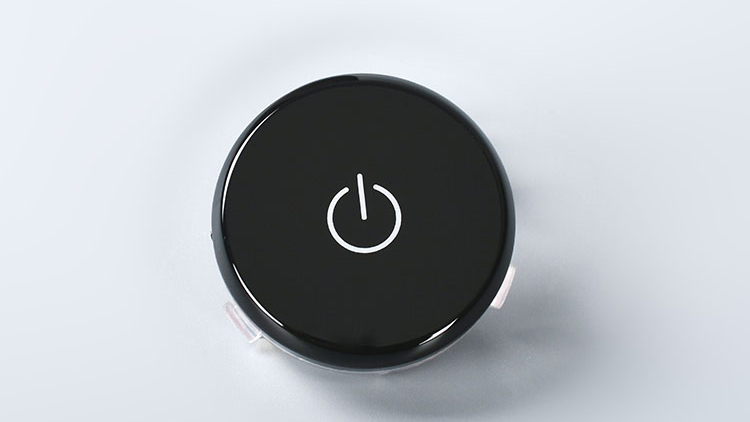
Definition: Wrinkles formed on the surface of a product during molding.
Causes: There are mainly two aspects. 1) Film is not completely adhered to the mold cavity, and the unattached parts gather together, forming wrinkles; 2) Molded product has deeper areas, and the film will produce wrinkles during the adhesion process, which will remain on the molded product.
Wrinkles are a common problem in IMR molding, and solving them is not easy. So, understanding the principle of wrinkle formation and mastering the corresponding solutions are very important for IMR molding production.
Process & Countermeasures:
- Confirmation of Mold:
(1) Check Vacuum Status: The reference benchmark is 0.08MPa, and in actual operation, try to adjust the air pressure to a range slightly higher than this benchmark. In addition, after attraction, it is important to check for any air leaks, which is one of the key steps in solving wrinkles.
Placing “ABS glue” inside the mold is the most effective method to solve wrinkles, and can even be said to be the only core means. The specific precautions are as follows:
Placing ABS adhesive on the mold: can enhance vacuum effect, improve venting performance, and increase the corner (or film height) to help straighten and flatten the film;
Placing ABS adhesive in the mold: The core purpose is to straighten and flatten the film to avoid wrinkling.
However, there are also many considerations when placing ABS adhesive, and these points should be noted:
A: Pay close attention to the length and height of ABS adhesive, especially the height – the higher the height, the better the effect of improving wrinkles, but too high can easily crush the film; If the height is too low, it has little effect. So try to raise the height as much as possible, but on the premise of not crushing the film;
B: Pay attention to placement location;
C: Pay attention to the processing technique of ABS adhesive.
(2) Adjust Vacuum Strength: By adjusting the attraction adjustment screw and reducing the attraction intensity appropriately, the effect of improving vertical wrinkles is significant.
5. Weld Lines
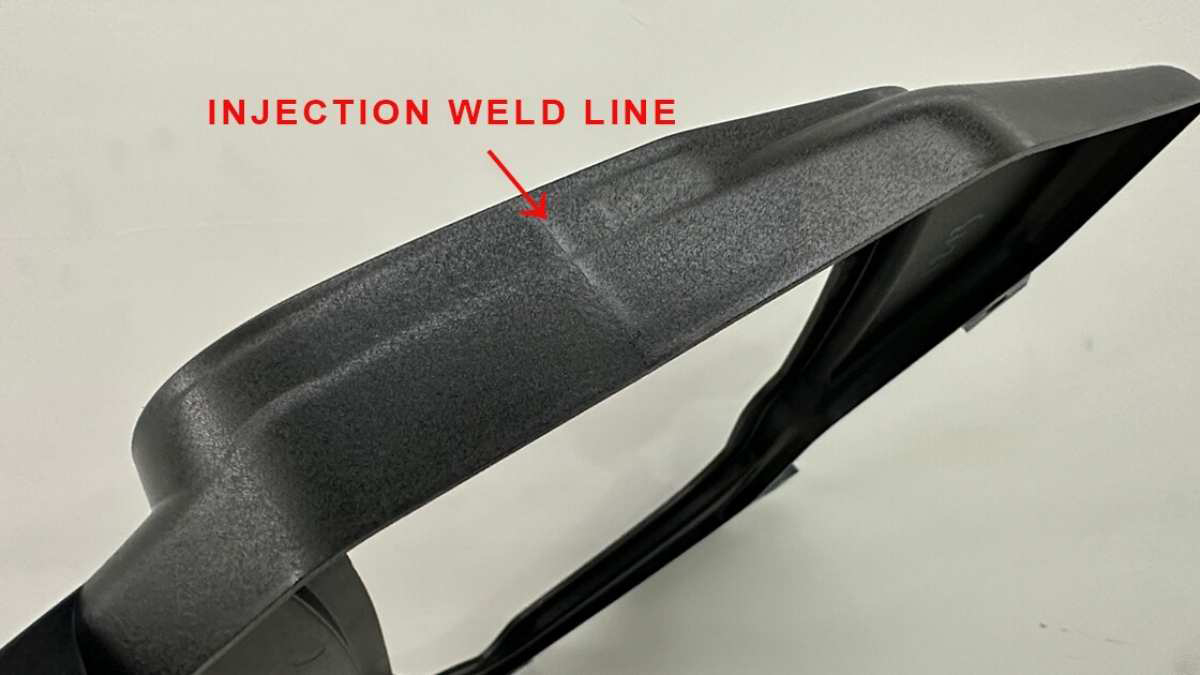
Definition: When resin flows in the mold, the front part will merge, and fine line marks will be formed at the confluence, which is called the bonding line.
Causes: The main reason is that when the resin merges in the final filling area or flows at the joint parts such as product holes and windows, due to poor venting or poor resin fusion effect, obvious linear marks are formed in the end.
Process & Countermeasures:
- Confirmation of Mold:
(1) Adjust Clamping Tightness: The film can easily block the vent groove of the mold, causing poor venting and resulting in bonding lines. So, while ensuring that no burrs are generated, try to reduce the clamping force as much as possible. However, it should be noted that too little clamping force can lead to membrane rupture, and a balance must be found.
(2) Optimize Resin Flow: This can be achieved by changing the gate position, adjusting the injection method, reducing the number of gates, and changing wall thickness of the product. Among them, changing wall thickness of the product meat is a practical and effective method, such as adjusting the flow direction of the resin by adding or reducing glue, so as to shift or disappear the position of the bonding line.
- Confirmation of Molding Conditions:
(1) Adjust Injection Speed: If the speed is too fast, the air inside the mold cavity cannot be discharged, which will affect the resin merging effect and produce a bonding line; The speed is too slow, the resin flow time is too long, the temperature will continue to drop, and by the time it reaches the confluence, it has already cooled down, resulting in poor fusion effect and the formation of a bonding line. However, flexibly adjusting injection speed can also solve the problem, such as changing the direction of resin flow by altering the speed, thereby changing the position of the bonding line.
(2) Raise Mold Temperature: If the mold temperature is too low, the resin will cool too quickly during flow, and the merging point will not be able to fuse well, which can easily lead to bonding lines. Increasing the mold temperature appropriately can improve the situation.
(3) Raise Resin Temperature: Properly increase the material temperature, including improving the fluidity of the hot runner, to allow the resin to blend better.
(4) Pressure Holding: Increase pressure and time.
(5) Improve mold Venting: Regularly wipe the mold surface to maintain cleanliness; If the venting is poor, it is necessary to add vent grooves or place iron plates to improve the effect.
6. Delamination (Poor PL Adhesion)
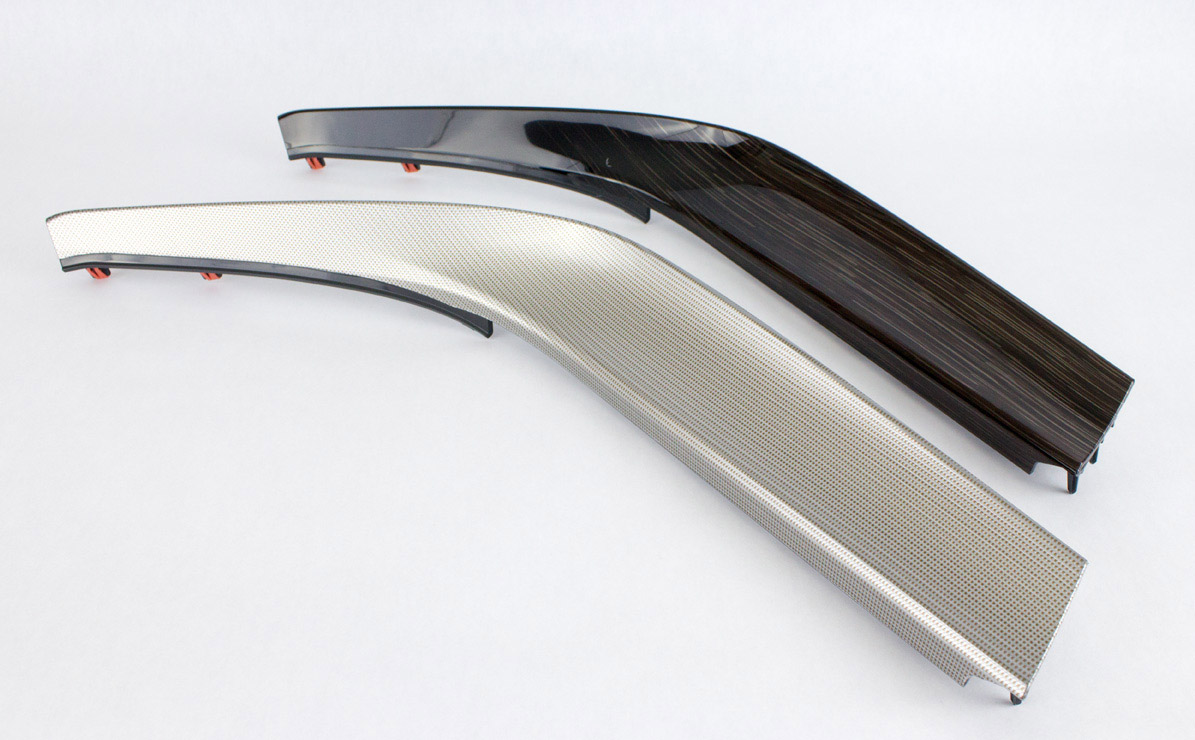
Definition: In the vicinity of the parting surface (PL surface), ink cannot be transferred normally, resulting in poor adhesion. This is called ink stripping, also known as poor PL adhesion.
Cause: The core issue is that the aluminum foil ink layer near the PL surface was not successfully transferred to the molded product. In subsequent operations, when this area is adhered with tape, the ink will fall off.
Process & Countermeasures:
- Confirmation of Mold:
(1) Check Contact Status: Confirm whether the mold surface is in good contact to avoid affecting the ink transfer due to poor contact;
(2) Improve Mold Venting: Add vent grooves on the PL surface (i.e. the parting surface) or place iron washers to enhance the effect;
(3) Check Vacuum Status: Use 0.08MPa as the reference standard to ensure that the attraction parameters are appropriate;
(4) Check Temperature Controller Circuit: Ensure that the circuit is normal and the mold temperature can be stably controlled;
(5) Check Cooling System: Ensure that the cooling effect is normal and avoid affecting ink transfer due to abnormal cooling;
(6) Clean Mold: Clean the oil, dirt, and other debris on the mold in a timely manner to avoid affecting the bonding and transfer effect.
- Confirmation of Molding Conditions:
(1) Adjust Injection Speed: Usually, a low injection speed can cause ink delamination – the temperature drops too quickly when the resin flows, resulting in poor melting state and inability to effectively bond with the ink; However, a too fast speed can also cause problems, leading to poor venting.
(2) Control Mold Temperature: If the mold temperature is too low, the bonding effect between ink and resin will be poor, and it is easy to result in poor ink-resin bonding; But if the mold temperature is too high, it won’t work either, as it will wash away the ink and also cause ink delamination.
(3) Control Resin Temperature: If the material temperature is too low, the adhesion between the resin and the ink will be insufficient after cooling; If the material temperature is too high, it will also wash away the ink, both of which can lead to ink delamination.
(4) Adjust Holding Pressure Parameters: If the holding pressure is too low, the product will not be fully formed, the resin will not fully adhere to the ink, and it is easy to cause ink delamination.
In actual production, the molding conditions have a significant impact on delamination, especially the five factors of injection speed, mold temperature, material temperature, pressure, and mold venting, which usually require priority inspection and adjustment. Generally speaking, adjusting the speed slightly faster, raising the material temperature appropriately, and slightly lowering the mold temperature can effectively improve the problem of delamination.
7. Dent
Definition: Point like depressions on the surface of molded products are mostly caused by foreign objects mixed between the mold and aluminum foil, leaving traces after transfer printing.
Cause: Foreign objects adhere to the surface of the master mold, which are transferred to the molded product during molding, forming dents.
Process & Countermeasures:
- Confirmation of mold:
(1) Distinguish between dents and mold scars: Pay attention to distinguishing the type of problem – if there are scars on the mold itself, the molded product will show protrusions; If foreign objects adhere to the mold, the molded product will have dents, don’t confuse them.
- Confirmation of Molding Environment:
(1) Identify Source of Foreign Objects: It is necessary to distinguish whether the dents are caused by dust in the air, foreign objects on the mold, or film problems (caused by film breakage or quality issues with the film itself). Generally speaking, the indentations caused by dust in the air and foreign objects on the mold are point like; The concave points caused by membrane rupture are thin and linear; The concave spots caused by film quality issues may be in the form of thin lines or dots.
(2) Clean Equipment Contaminants: Foreign objects on molding machines, film conveyors, and molds can all cause dents, and these equipment should be regularly and carefully cleaned and maintained;
(3) Strengthen Film Storage: If foreign objects adhere to the surface of the film, proper storage and preservation of the film should be carried out to avoid contamination;
(4) Optimize Production Environment: Excessive impurities in the air can also lead to dents. It is necessary to optimize the cleanroom workshop environment, implement “5S” management, and reduce dust in the air.
- Confirmation of Molding Conditions:
(1) Reduce Mold Opening Speed: If the mold opening speed is too fast, ink debris will scatter and form concave spots on the mold. By reducing the speed appropriately, it can be avoided;
(2) Control Vacuum Timing: Stop vacuum before the start of mold opening to prevent ink debris from scattering onto the mold due to the effect;
(3) Appropriately Increase Mold Temperature: A slightly higher mold temperature will improve the viscosity and stability of ink and film, reducing the scattering of ink debris;
- Check Raw Materials: Check whether there are foreign objects inside the resin and whether there is carbonization phenomenon, which can cause dents.
The above are the core causes and treatment points of the seven common defects in the IMR molding process. The quality control of IMD molding is a systematic engineering that requires coordinated optimization of equipment, materials, processes, and environment. KingStar not only provides professional diagnosis and solutions for adverse problems for enterprises, but also relies on a mature technical system to provide full support for customers from early process planning, mold optimization to later production debugging, helping enterprises improve molding yield and reduce production costs.
If you encounter any other technical issue in IMD molding production, or you are sourcing a reliable custom manufacturing company, please feel free to communicate with KingStar at sales@kingstarmold.com at any time.